
AI chat for work you repeat in the browser
Chat with 100+ models on whatever you see. Your key. Switch personas in one click.
Pure API power on the page in front of you. Extract data, play a role, or run the same workflow again. Preset personas for any task. No extra window.
Free extension. Pay OpenRouter only for what you use.
Your key stays on your device. Billing follows your OpenRouter account.
Demo video coming soon
Personas, page context, and setup
- Page context from whatever tab you are on.
- Preset personas for extract, scrape, assist, and custom tasks.
- Star models and switch persona or model in one click.
- Your OpenRouter key. Pay per use, no chat subscription.
Welcome
Thanks for installing BYOK AI.
Chat with page context and saved personas. Built for the tasks you run again and again: extract data, play a role, summarize a page. Your key stays local. OpenRouter bills usage only.
New here? Jump to how to use. Takes a minute.
How to use it
Four core functions. One sidebar.
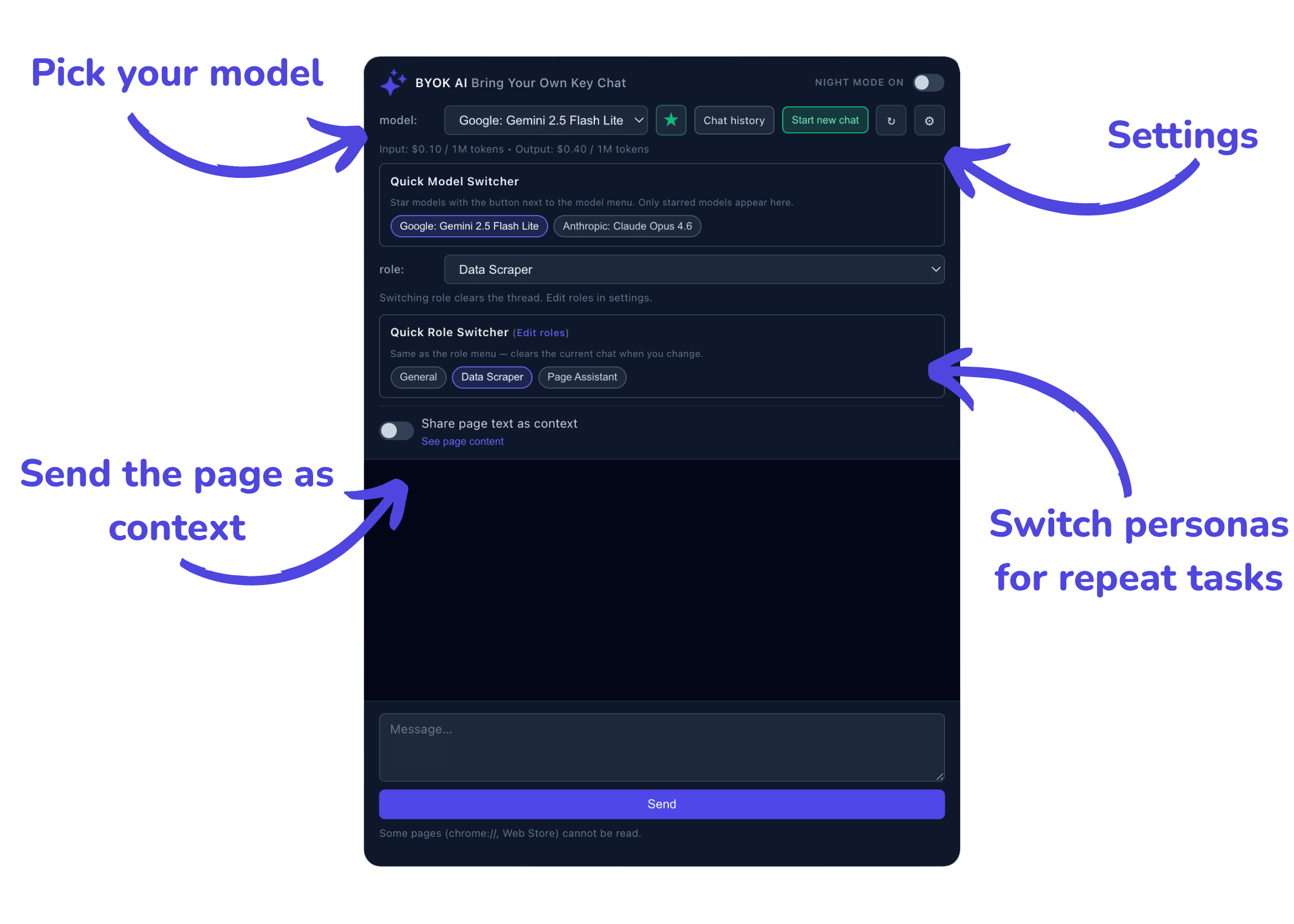
Pick a model, paste your key in settings, switch saved personas for repeat tasks, and send the page as context.
Why I built it
I kept opening new chat tabs for the same jobs: pull data from a page, answer as a specialist, summarize what I was reading. I wanted one sidebar on whatever I was looking at, with personas I could switch in a click, and my own OpenRouter key. No subscription. Free extension.
What you get
Chat UI. Task automation mindset.
Free extension. Everything below included.
- Page context Send whatever is on screen to the model. Works on any site you browse.
- 100+ models OpenRouter catalog with token pricing in the picker. Star what you use daily.
- Personas Presets for extract, scrape, page assist, briefing, and custom roles. Switch in one click.
- Quick switcher Star models for the toolbar menu. Jump between model and persona without leaving the tab.
- Chat history New thread or pick up a past run. Handy when you repeat the same kind of task.